



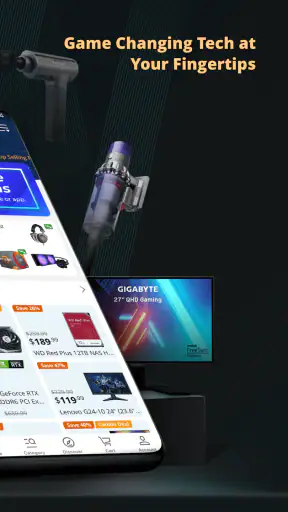
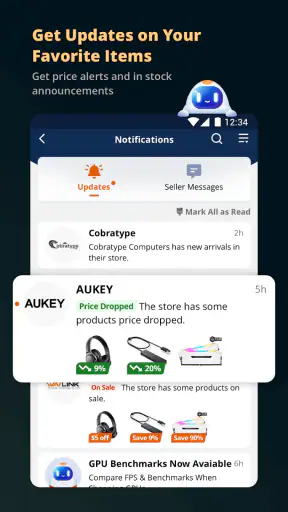


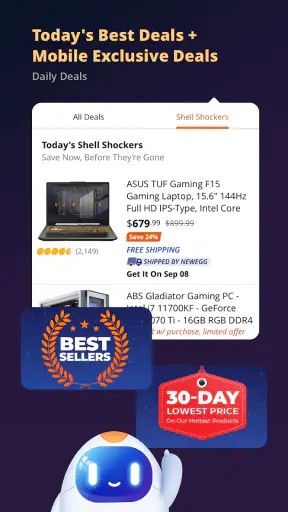


Shopping for computer parts and electronics on a phone can be convenient, but it also asks for a fair amount of trust. You are not only comparing a graphics card or a laptop; you may be creating an account, entering delivery details, reviewing seller information, and deciding whether a deal is worth the risk. I spent time looking at Newegg as a mobile shopping app with that practical question in mind: does it give me enough control and clarity to make a sensible purchase, or does it mainly push me toward fast checkout?
Newegg is a free shopping app from Newegg Inc., focused on technology rather than general household shopping. Its audience includes PC builders, gamers, people replacing components, and anyone who wants a large electronics catalog in one place. The app is rated Everyone, so its basic audience is broad, although the products themselves range from simple accessories to expensive hardware that deserves careful research.
Its long presence in mobile shopping helps explain why it feels more like a dedicated technology marketplace than a thin mobile version of a website. The app was released in late 2010, and the current version is 7.3.1. It supports devices running Android 8.0 or later. With a 4.7 average from around one hundred thousand ratings and more than five million installs, it is clearly used at a meaningful scale, but popularity should not replace checking the details of an individual listing.
What the shopping experience feels like in practice
The first thing I noticed is that the app makes sense when I already know roughly what I want. Searching for a component, accessory, or electronics category is more useful than casually browsing without a plan. Technology products often have confusing model names, similar-looking revisions, and compatibility limits, so I prefer entering a specific product family and then narrowing the results instead of relying on attractive images.
That approach also makes the app’s deal-focused character more useful. A discount can be meaningful when I am comparing several equivalent parts, but a low price is not automatically a good purchase if the item has the wrong connector, capacity, form factor, or compatibility. I treat the app as a research and buying tool, not as a reason to buy something simply because it appears prominently.
A realistic example is replacing storage in an older laptop. I might search for a suitable drive, check the physical format and interface, compare capacity, inspect the seller and delivery information, then save the product while I verify compatibility elsewhere. That workflow is safer than opening the app during a sale and making a decision from the headline price alone. For PC components, small specification differences can matter more than the discount.
The catalog is especially appealing to people who dislike visiting several specialist sites for one build. I can use one shopping environment to investigate parts, peripherals, networking equipment, and other technology products. The trade-off is that a broad marketplace can require more attention from me. The app can help me find options, but it cannot remove the need to understand what I am buying.
Where it is stronger than ordinary shopping apps
Compared with a general retailer, Newegg is more naturally suited to a technology purchase. The product context is clearer, and the selection is built around the kinds of items that PC builders and electronics shoppers actively compare. That makes it a better starting point than a general shopping app when I need to evaluate a component rather than simply add a familiar household product to a basket.
Compared with visiting a manufacturer directly, the advantage is comparison. A manufacturer’s store may be the better choice when I want a direct warranty relationship or a specific brand configuration, but it usually does not give me the same marketplace-style view of alternatives. Newegg is more useful when I am deciding between several models and sellers.
Compared with a price-comparison website, the app is closer to the purchase itself. That reduces the number of steps, but it also means I need to be disciplined about checking the complete listing before paying. A comparison page may help me spot a cheaper option, while this app is more convenient for moving from discovery to checkout. Convenience is helpful, but it can make an impulsive purchase easier too.
Why seller and listing checks matter
One of my most important habits here is separating the app from the individual offer. A marketplace experience may present products in a consistent interface, yet the practical buying decision still depends on the listing details, seller information, shipping terms, return conditions, and warranty language shown for that item. I would never assume that two visually similar listings carry identical terms.
For expensive hardware, I read beyond the first product image and the short title. I check the exact model identifier, included accessories, condition, estimated delivery, and who is responsible for fulfillment where that information is displayed. This is not unnecessary caution: a technically correct product can still be inconvenient if it arrives later than needed or has terms that do not suit the purchase.
A useful trick is to compare the full delivered cost rather than the visible item price. Taxes, shipping, and any other checkout amounts can change the value of a deal. I also compare the same model against nearby alternatives instead of assuming the first result is the best match. This takes a little longer, but it is one of the clearest ways to avoid letting a promotional presentation make the decision for me.
Account controls and moments that deserve attention
Trust in a shopping app is not only about whether the product arrives. It is also about how clearly the app lets me control my account and purchase decisions. I pay attention to whether I can review account details, manage saved information, inspect order history, and distinguish an optional choice from something required to complete checkout. Those are the controls that matter when I want to reduce unnecessary exposure or correct an old address.
I am particularly careful at checkout because this is where several decisions meet: delivery address, payment choice, shipping method, and final order amount. I review each screen instead of tapping through automatically. If I am buying a gift or sending hardware to a temporary location, I double-check the destination before placing the order. A small address mistake is more frustrating than a few extra seconds of review.
The app’s free price makes it easy to try, but “free” does not mean the shopping process is consequence-free. The purchase itself can be expensive, and an account may contain order history and delivery information. I therefore use the minimum account details needed for the task, keep my contact information current, and avoid treating every notification or promotional prompt as essential to shopping.
When an app offers visible choices around notifications, marketing, or saved details, I prefer making those choices deliberately rather than accepting everything by habit. I also look for a clear route to change my mind later. That is a more useful measure of user control than simply counting how many settings appear in a menu.
Data-sensitive moments in a technology purchase
Shopping for electronics can involve more sensitive moments than buying a low-cost accessory. An order can reveal where I live, when I expect a delivery, and what kind of equipment I use. If I am buying a replacement device for work or a networking product for home, the product history itself may be more revealing than a casual purchase. I do not assume that every piece of information needs to be shared simply because a form displays a field.
My cautious workflow is straightforward. I check what information is requested before checkout, review the delivery address, and avoid storing details that I do not expect to use again. I also keep purchase confirmations and support messages organized so I can distinguish a genuine order update from an unrelated message. These are ordinary habits, but they give me more control than rushing through a deal.
I would also think carefully before granting optional device access if the app asks for it. A shopping app should be judged by the permissions and choices it visibly presents on the device, not by assumptions about what it must be doing in the background. I only enable access that has a clear purpose for my current task, and I revisit it later if I no longer need that function.
That cautious approach does not make the app difficult to use. It simply recognizes that convenience and privacy are connected. A saved address can speed up checkout, while an outdated saved address can cause a delivery problem. A notification can alert me to an order, while too many promotional messages can make important updates harder to notice. The best choice depends on how I use the app, not on a blanket rule.
Practical workflows that make the app more useful
For a planned PC upgrade, I would start with a list of requirements rather than browsing deals. I write down the compatible socket, physical size, power needs, storage interface, or other constraints that apply to the build. Then I use the app to compare matching products and inspect the complete listing. This prevents the common mistake of buying a component that looks attractive but does not fit the rest of the system.
For a small accessory, I use a faster version of the same process: search the exact item, check compatibility, confirm the quantity and delivery details, and compare the final total. This is where the app’s convenience is at its best. I do not need a long research session for a familiar cable or peripheral, but I still verify that the listing matches the connector or standard I need.
For a deal I am not ready to buy, I avoid using checkout as a temporary bookmark. I keep my own notes about the model and target price, then return when I have checked alternatives. This is a useful trade-off: the app can help me monitor a purchase decision, but I should not let a limited-time presentation create artificial urgency. If the item is genuinely needed, I can decide with the relevant facts in front of me.
Another helpful habit is checking the order after purchase rather than assuming everything is settled. I review the item, seller, destination, and expected delivery information in the order record. If something looks wrong, noticing it early gives me a better chance to use the available support or cancellation process. The app is most valuable when I treat order management as part of shopping, not as an afterthought.
Who should use it, and who may prefer another option
I would recommend trying it if you regularly buy computer components, gaming accessories, or other electronics and want a mobile-first way to compare listings. It is also a sensible option for someone who already understands the specifications of the products they need. The app’s focus is much more relevant to a PC builder than a general marketplace would be.
I would be more cautious recommending it to someone who wants a completely guided purchase. If you are unsure whether a part fits your device, the app can show products, but you may still need manufacturer documentation or independent technical advice. A specialist retailer with strong in-person support may be better when compatibility is the main concern.
I would also consider a manufacturer’s store when warranty handling, direct configuration, or brand support matters more than comparing marketplace offers. A general retailer may be preferable for routine items that I want bundled with an existing household order. The right choice depends on whether my priority is technology selection, direct support, one-stop convenience, or the simplest return experience.
A balanced view of convenience and friction
The biggest strength is focus. Newegg is not trying to be every kind of store, and that makes it easier for me to begin a technology search with the right expectations. The free app is useful for browsing and buying, and its established user base suggests that it has become a familiar destination for many electronics shoppers.
The main weakness is that technology shopping remains complicated even when the interface is polished. Search results and deals cannot solve compatibility questions, and marketplace convenience can make seller and delivery checks easy to skip. I also find that a mobile screen is not always the best place to compare long specifications or study several technical documents at once. For a major build, I often use a larger screen for research and the app for quick checks or order management.
The rating of 4.7 from around one hundred thousand ratings is encouraging, but I would interpret it as a broad signal rather than a guarantee about my particular order. The experience can vary by product, seller, delivery situation, and how carefully I check the listing. That is why my recommendation is positive but conditional: use the app as a tool, not as a substitute for judgment.
My cautious verdict
After looking at the app through the lens of trust and user control, I see a capable shopping companion for technology purchases. Its strongest use case is a planned search where I know my requirements, compare the full offer, and review the order before confirming it. The app makes that process more convenient without requiring me to visit several technology-focused shopping pages.
I would install it for PC parts, peripherals, and electronics research, especially when I want to compare options from a phone. I would not rely on a deal banner alone, and I would not skip compatibility checks simply because the product appears popular. I would also keep account details and optional access under review, using only the choices that support the purchase I am actually making.
My recommendation is to use Newegg when comparison and technology selection matter, while keeping control of the final decision yourself. Read the listing, verify the seller and delivery terms, check the complete cost, and decide whether the convenience is worth the trade-off for that specific purchase. Used that way, this shopping app earns a place on my phone; used carelessly, it can make an expensive mistake feel deceptively easy.


